A focused Notion template
See every post before it goes out.
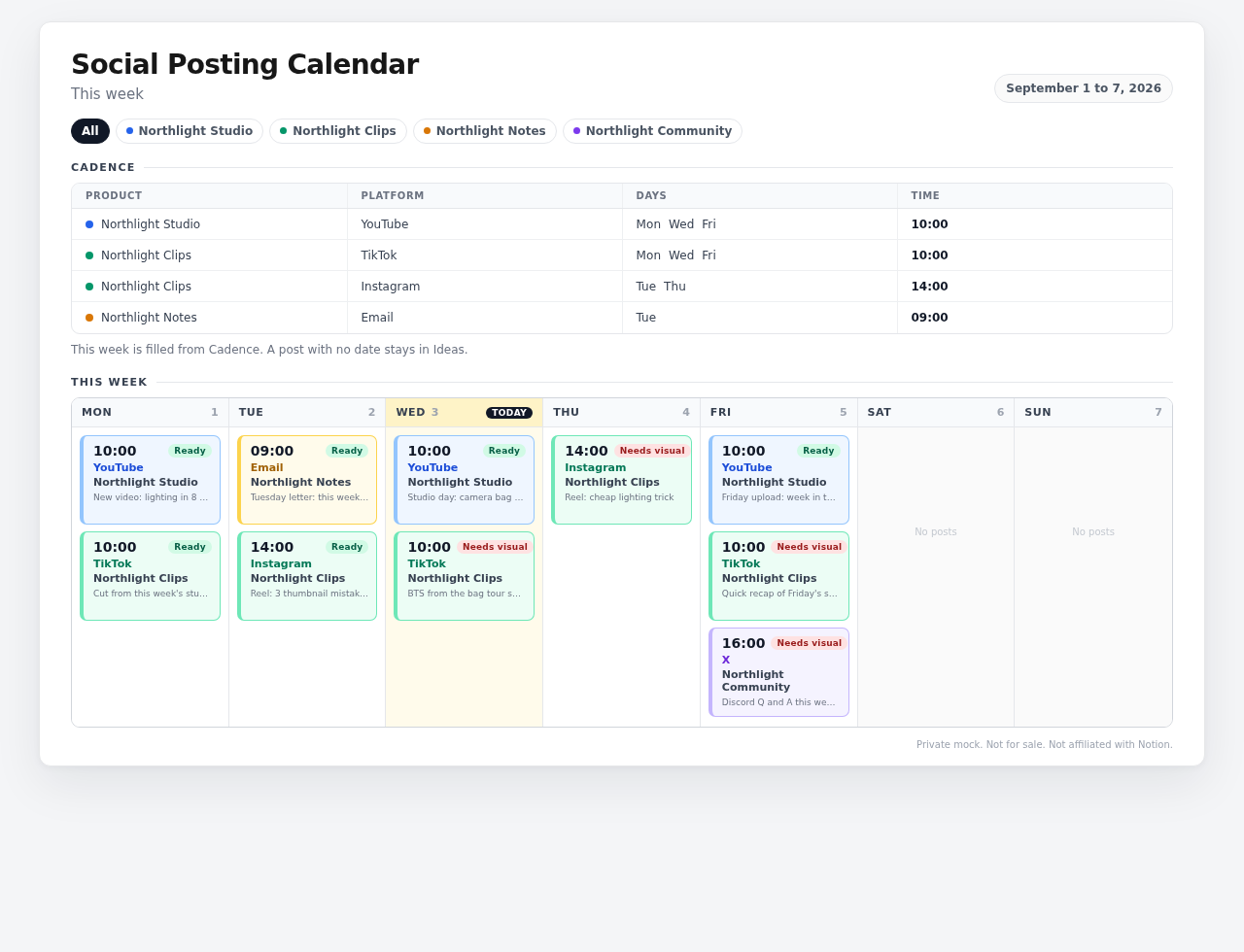
Social Posting Calendar keeps multiple products and multiple platforms in one clear weekly view. Know the platform, day, time, product, and visual gate at a glance.
After checkout you land on a private delivery page with the Notion Duplicate button. Stripe also emails a receipt.
Several products get confusing fast
When each product has its own rhythm, a single posting plan can become hard to scan.
Some calendars hide the useful parts
A date alone is not enough. You need the platform and time beside the post.
Heavy templates make you quit
Too many properties and statuses turn planning two posts into a project of its own.
Everything important, visible in one week.
Cadence holds the repeating plan. This week turns it into a Monday to Sunday view with product-colored cards, so the plan is easy to check before you publish.
Set the rhythm once
A small table with Product, Platform, Days, and Time. This is the repeating plan that keeps your schedule understandable.
Scan the week, not a database
Every card shows Time, Platform, Product, then caption. Cards are colored by product and carry a Ready or Needs visual gate.
What is inside
The pieces are intentionally small, clear, and honest.
Cadence
Product, Platform, Days, and Time for your repeating plan.
This week
Mon to Sun view with Time, Platform, Product, caption, product colors, and Ready or Needs visual gates.
Ideas
Posts with no date stay here and stay out of This week.
Platforms
A simple select and one database, not a separate database per platform.
START-HERE guide
Includes a first-run test where you add a row and check that it saves.
Less on purpose.
This is a posting calendar, not an attempt to run your whole business.
No auto-publishing
It helps you plan. You still choose when and where to publish.
No analytics dashboard
There are no performance reports hiding inside the calendar.
No 20 properties or 11 statuses
Just the structure needed to see what is next and what needs its asset.
For focused operators, not everyone.
It is for you if
You plan content for several products, use more than one platform, and want a simple week view in Notion. It also works for client work because Product is a column.
It is not for you if
You need auto-publishing, analytics, campaign reporting, or a full creator business OS. This stays a social media posting calendar.
FAQ
Do I need a paid Notion plan?
No. Ordinary databases and views work on a free personal Notion plan.
How do I receive it?
After paying, you land on a private delivery page with the Notion Duplicate button. Stripe also emails a receipt.
Can I use it for client work or several products?
Yes. Product is a column, so you can plan several products or use the calendar for client work.
Is it a subscription?
No. It is CA$19 one time, in Canadian dollars.
What is the refund policy?
14 days if unused. Email the Stripe receipt to request a refund.
Make the next week obvious.
Put every product, platform, day, and time where you can see it. CA$19 one time.
Get Social Posting Calendar